
Micro-looping and sampler effect
Play a few notes and hear them come back as overlapping micro-loops, rearranged phrases, octave layers and pitch glides. MICROLOOPS is a micro-looping plugin with six algorithms, for guitar and anything else you play. It's an ephemeral sampler: it samples only what you just played, so every loop is built from your own part.
MICROLOOPS is always recording. As you play, it spawns loops from what it hears and lets them decay, up to 32 at a time. You choose how they come back: the feel, the order, the octave, the direction. Play a new chord and it can clear out what came before, so the loops follow your latest chord instead of piling up. It's built for finding sounds that move and respond to how you play, and it's as quick to reach for as a delay or a modulation effect.
- Six micro-looping algorithms, from the most predictable to the most chaotic.
- Up to 32 loops at once, free-running or synced to tempo.
- Octave stacks, pitch glides, strums, arpeggios and rearranged phrases.
- Your dynamics can move the sound, REFRESH clears the buffer on a new note, and FREEZE holds it.
- Built-in reverb from SPU-94, modulation, pitch shift and a filter.
Hear it
Six ways back into your phrase
From the most predictable to the most chaotic.
microloops
Video: microloops mode, each voice is a loop (3:21)
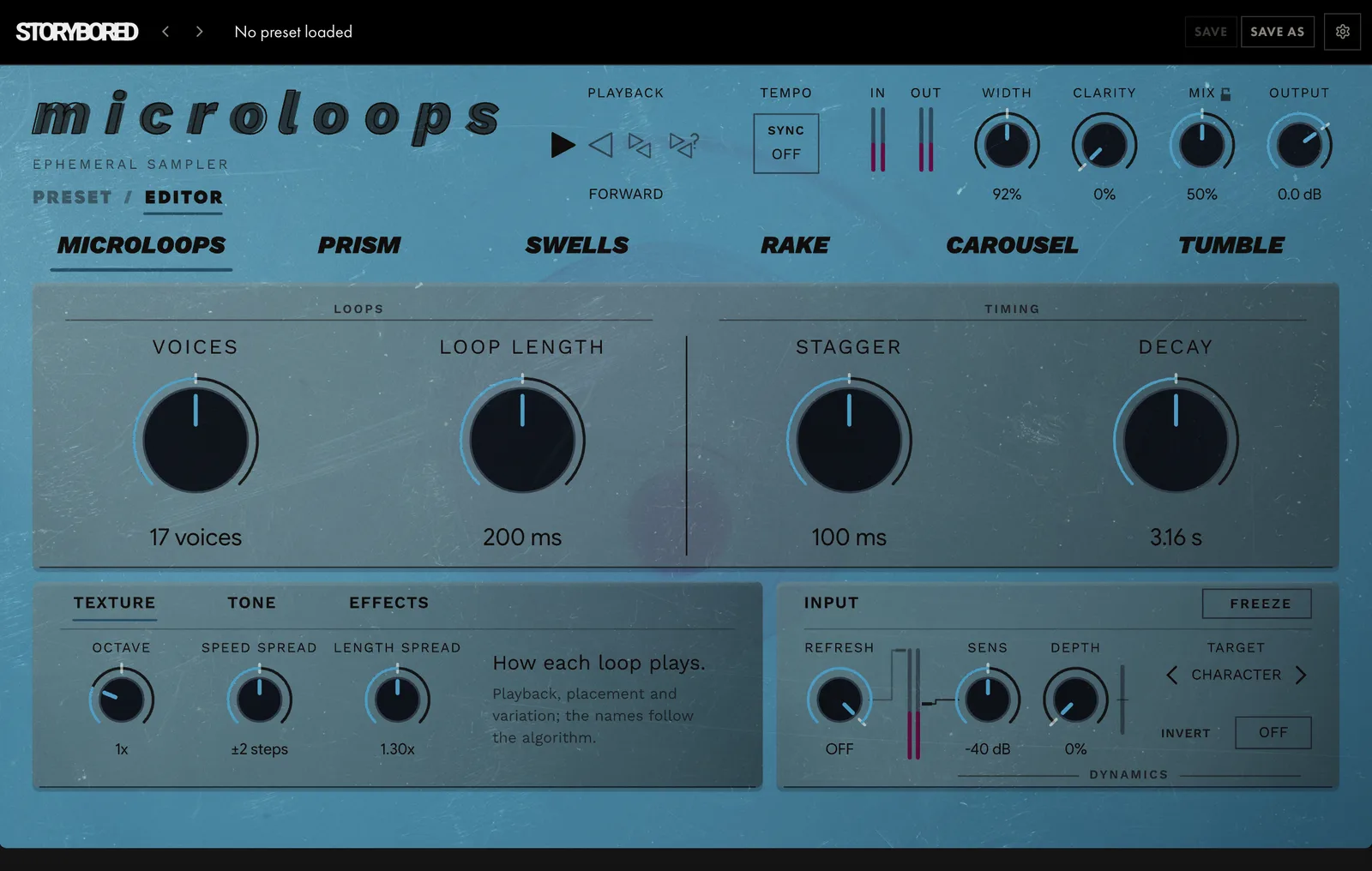
The namesake. Your phrase comes back as a cluster of short loops, each with its own length and timing. VOICES sets how many are running, LOOP LENGTH and STAGGER shape them, and OCTAVE moves them up or down.

Prism
Video: Prism mode, loops dealt into octaves (2:49)
Your loops split into octaves, like light through a prism. OCTAVE SET picks the stack, from a single octave up to four layers.

Swells
Video: Swells mode, every loop glides (2:38)
Loops that rise and fall in pitch. Each one glides as it plays: SWELL RATE sets how long the glide takes, and SWELL PATTERN sets which way it goes.

Rake
Video: Rake mode, it answers what you played (3:19)
Play a few notes and stop. Rake waits for you to finish, then strums back the notes you just played, with timing taken from real strummed guitar. RAKE SPEED sets how fast it crosses the strings, and DIRECTION strums down, up or alternating.

Carousel
Video: Carousel mode, an arpeggio on a clock (2:07)
An arpeggio of your own phrase. It steps through your notes in the order you played them, with OCTAVE SET adding octaves above. Turn VOICES all the way down and it's a strict mono arpeggiator.

Tumble
Video: Tumble mode, a roll of the dice (2:07)
Carousel's clock with the order thrown out. Every step picks a random slice, octave and direction.
Built for exploring
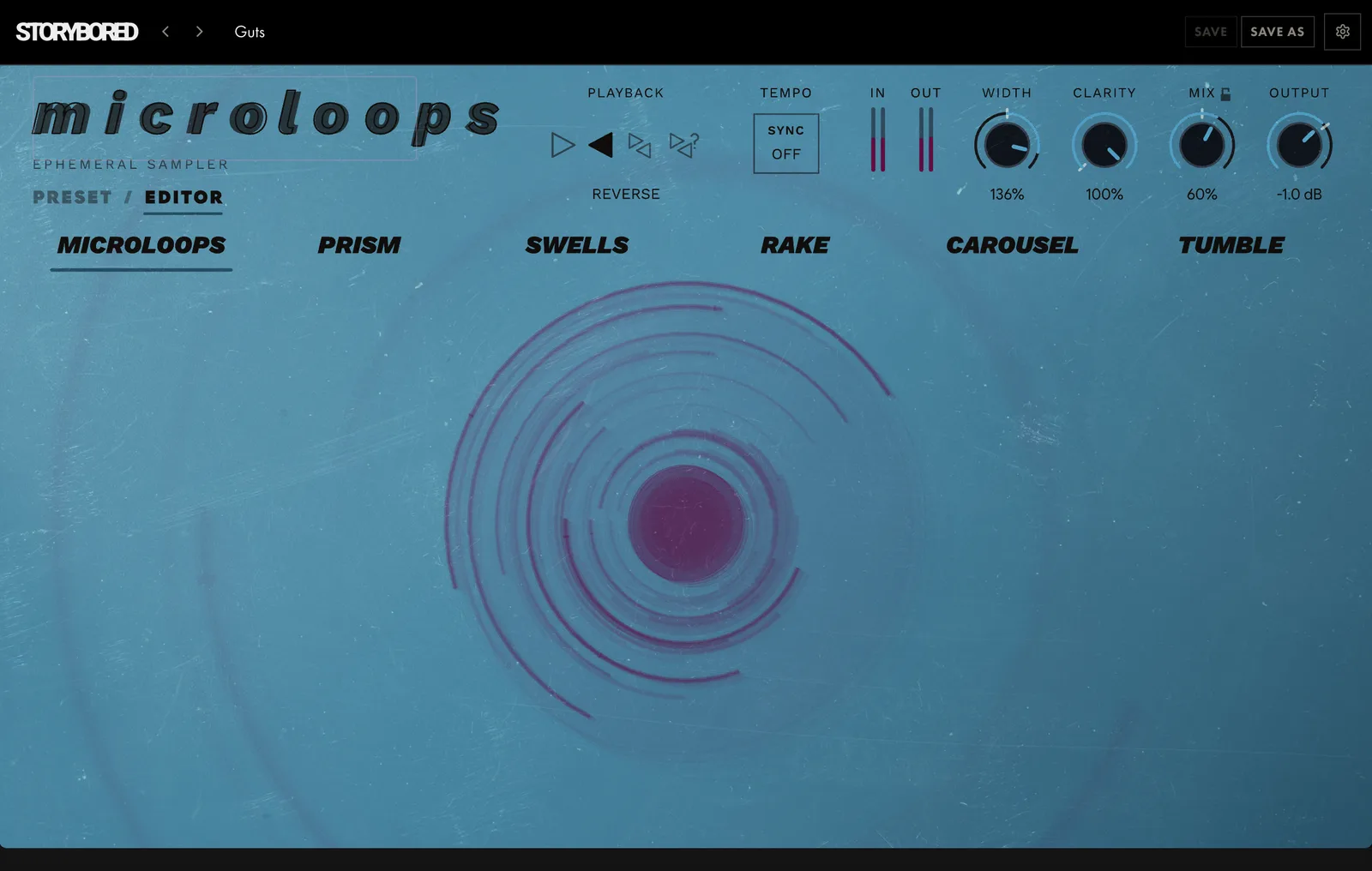
Jump between algorithms as often as you like. Each one keeps its own settings, so you can try Tumble, come back to Rake, and find it exactly where you left it. Each algorithm also brings its own controls: in Rake you're setting how fast the strum crosses the strings, in Swells how long each glide takes, so you always know what you're shaping. And every algorithm has its own visualizer, drawn from the sound you feed it, so you can see what the loops are doing as you play.
Your playing drives it
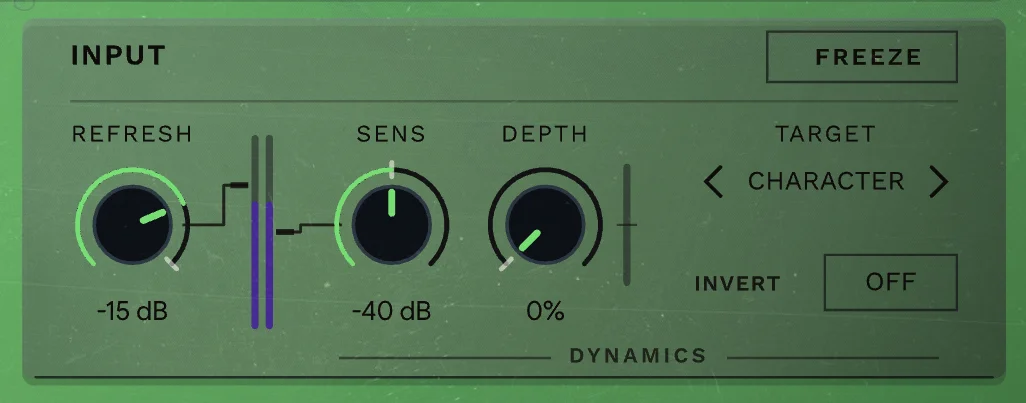
DYNAMICS lets how hard you play move the sound. Pick a TARGET (CHARACTER, LENGTH, SPREAD, DENSITY or DECAY) and set how far your playing pushes it. REFRESH sets how hard a new note has to hit to clear the buffer and start fresh. Pair it with FREEZE and the stutters follow your rhythm and pitch.
Then the effects
Every algorithm runs into the same effects section: the console reverb from SPU-94, MODULATION for tremolo and pitch wobble, PITCH to shift the loops up to an octave either way, and a filter. SAMPLE RATE drops the rate on the fly, changing the loops' pitch, length and fidelity as you turn it.
The loops stay behind you

CLARITY ducks the loops under your dry signal in four bands, keyed from the dry, so a vocal stays on top without wiring a sidechain.
Download first, buy when you're sure
DOWNLOAD gets you the full plugin: every algorithm, every control. Until you buy, it goes quiet for 10 seconds every minute, and there's no time limit, so keep it in your sessions as long as you like. When you're ready, BUY is $24.99. Enter your key and the silences stop. There's nothing to reinstall.
Product facts
Price: $24.99
macOS: AU, VST3, AAX. Apple Silicon and Intel
Windows: VST3, AAX. x86
Version: 1.1.0
Demo: The download is the full plugin. Until you buy, it goes quiet for 10 seconds every minute. No time limit.
Licence: A paid licence key, entered in the plugin. The demo is free; the plugin is not.
Questions
Can I use MICROLOOPS on guitar live?
Yes, it's built for playing live: it's always recording and listens for each new note, so the loops follow your playing. It runs as AU, VST3 or AAX on Mac and VST3 or AAX on Windows.
Do I need a looper pedal?
No. MICROLOOPS records what comes in by itself: play, and loops start coming back from what it just heard. Play a new chord and it can clear out the old loops, so it follows your latest chord instead of piling up.
Can I load my own samples?
No. It's an ephemeral sampler: it samples only what you just played, never files from disk. That's why what comes back sounds like your part.
How is it different from GRAINCLOUDS?
MICROLOOPS gives your phrase back as parts: loops, octave stacks, glides, strums and arpeggios. GRAINCLOUDS cuts what you play into grains for continuous textures and tempo-locked echoes.
Can I try it before I buy?
Yes. The download is the full plugin, every algorithm and every control. Until you buy, it goes quiet for 10 seconds every minute, with no time limit. Enter your key and the silences stop; there's nothing to reinstall.
Also from STORYBORED
Want a cloud instead of loops? GRAINCLOUDS cuts what you play into grains: drifting textures, rhythmic echoes and frozen sounds, eight different ways.